We're sorry to see you go. If you choose to delete your account, all your data will be permanently removed from theCoolist. This action cannot be reversed.
We're updating these steps for the new theCoolist app. The screenshots below may not match your app yet. If you can't find an option, email support@thecoolist.io and we'll do it for you.
Permanent action
Once you delete your account, you will lose access to all your points, achievements, badges, leaderboard rankings, and transaction history. You will not be able to recover this information.
How to Delete Your Account
Follow these simple steps to permanently delete your theCoolist account.
Step 1 of 3
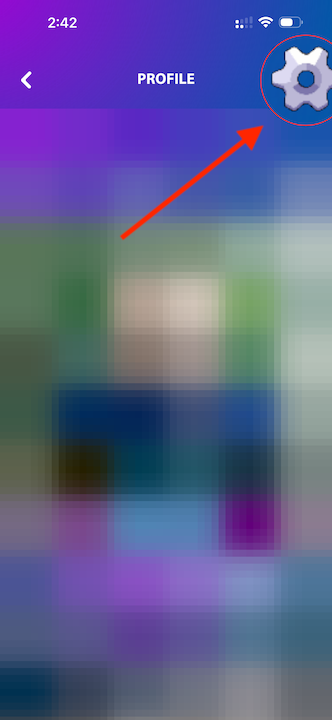
Go to Your Profile
Open the theCoolist app and navigate to your profile. Tap on settings in the top right menu to access your personal settings page.
Step 2 of 3
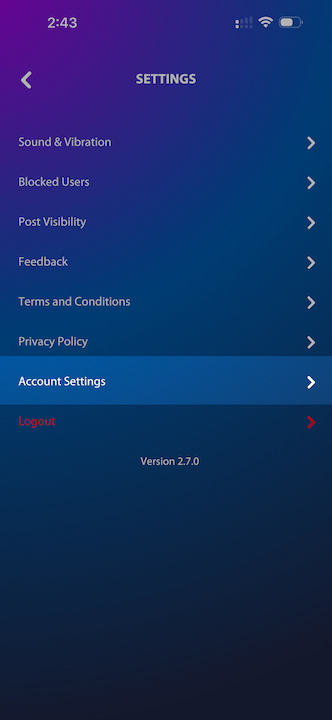
Click Account Settings
Once on your profile, look for the settings icon or 'Account Settings' option. Tap it to access your account preferences and security options.
Step 3 of 3
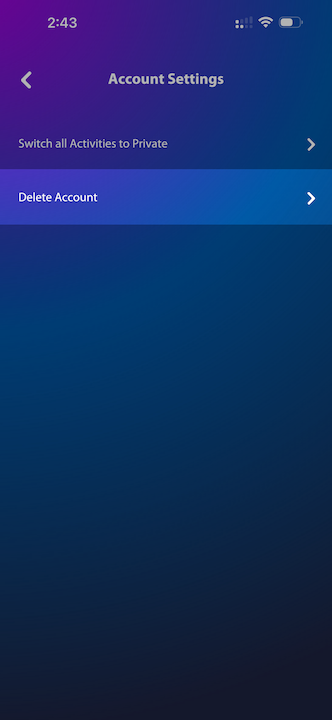
Delete Your Account
Scroll down to the bottom of the Account Settings page. You'll find the 'Delete Account' button in red. Tap it to proceed with the deletion.
This action cannot be undone. All your data will be permanently deleted.
Before You Go…
Loss of pointsAll points and rewards will be permanently deleted
Leaderboard removalYour ranking and achievements will be removed from all leaderboards
No recoveryThis action is permanent and cannot be reversed or undone
Account recreateYou can create a new account with the same email after deletion
If you're experiencing issues or have concerns with your account, please contact our support team before proceeding. We're here to help.